eMedia Blogs

Release Notes - Dec 4th 2025

eMediaLibrary received extensive upgrades focused on:

  • AI-powered automation (classification, entity detection, RAG, AI chat)
  • Document intelligence (OCR markdown, page entities, embeddings)
  • Search modernization (semantic search, UI refactor, structured queries)
  • UI/UX improvements across navigation, dialogs, galleries, pickers
  • Media processing stability (audio/video transcription, standardized image generation)
  • Better collections & category management
  • Enhanced permissions and administrative controls
  • Infrastructure and reliability fixes

1. AI & Machine Learning Features

AI Asset Processing

Enhancements standardize and improve AI-driven tagging, entity detection, document chat, semantic search, and image generation. System now supports expanded metadata, OCR output, embeddings, and advanced chat context.

  • Auto Login for AI workflows
  • Asset AI (automatic tagging, semantic topics, metadata generation)
  • Face Recognition (detect and tag faces)
  • Entity AI (create or detect entities from documents)
  • AI Categories (auto-category assignment)
  • NER – Named Entity Recognition added to document processing
  • AI Document Search (semantic search)
  • Semantic Role Labeling (parse_sentence.json updates)
  • Image Generation (AI Create Image, Create Entity with AI)
  • AI Chat (Entity Chat, Document Chat, RAG responses)
  • AI Servers refactor: models moved to servers table
  • Metadata generation refactor (image, documents, transcripts)
  • Add markdown generation + OCR for documents
  • Document Embedding + RAG Source Display (rag response)
  • AI Assistant configurations standardized (Qwen 3 VL, LLaMA server keys, etc.)

Clients Affected

  • eMediaLibrary Project — all AI tasks, search, chat, model configuration
  • United Nations Upgrade — AI search, picker behavior interacting with AI
  • AGBU Asset Library — gallery issues indirectly affected by metadata changes
  • Allegro Design / Orren Pickell — data model / entity structure relied on by collections

2. Search & Navigation Enhancements


Search UI is significantly modernized: better layout, improved search messages, smoother category tree movement, and more precise search instructions via updated JSON parser schemas.

  • New Search Result layout + parameters
  • Quick Search refactor
  • Fixes for multiple search modules (AI Search, Picker Search, Media Viewer search)
  • Search header styling updates
  • Category search improvements (moving categories, tree UI)
  • Document AI Search using semantic text

Clients Affected

  • United Nations Upgrade — gallery search, picker search, default module selection
  • eMediaLibrary Project — AI search tests and refinement
  • AGBU — gallery display changes influenced by search output structure

3. Document Management


PDF and document workflows upgraded end-to-end: splitting, OCR, per-page metadata, embeddings, collection management, and semantic interactions.

  • Document Auto List (auto-assign record type from assets)
  • Document Splitting (per-page, auto-split PDFs)
  • Category Picker for documents
  • Document total pages display
  • Document Embedding (vector embeddings + RAG)
  • Markdown extraction added (OCR)
  • Drag & Drop Documents in Collections
  • Page-Level entity properties added and renamed
  • Document Chat (LLM-assisted document Q&A)

Clients Affected

  • eMediaLibrary Project — full document AI overhaul
  • eMedia Customer Service — PRN PDF CMYK issues, sync/pull-only issues
  • United Nations Upgrade — document gallery display

4. User Interface & UX Improvements

Large-scale UI modernization: consistent styling, accessible dialogs, improved pickers, responsive layouts, and clean iconography. Enhances daily DAM usability.

  • Offcanvas, masonry, gallery view max-width fixes
  • Header navigation & dropdown fixes
  • Consistent CSS refactoring
  • Picker button improvements (visibility, positioning, iframe modes)
  • Dialog header/footer improvements + ellipsis, responsive design
  • Crop editor layout updates
  • Improved closed captions component (video transcript layout)
  • New upload icons, expanded actions buttons, consistent labels
  • Play button alignment on thumbnails
  • Profile picture updates (User vs UserProfile asset)
  • Multilingual support & updated labels
  • Right/left keyboard shortcuts for assets
  • Edit menus hidden for PDF assets
  • Light theme improvements, removed unused CSS files
  • Favorite star improvements
  • Blockfind picker updates
  • Tree toggle “Featured”
  • Collection views improved

Clients Affected

  • United Nations Upgrade — gallery behavior, picker visibility, blockfind issues
  • AGBU — gallery display & caption behaviors
  • eMedia Hosting / Mailu — admin UI improvements indirectly noticed

5. Media Processing (Audio, Video, Images)

Media ingestion pipeline stabilized and modernized. Audio/video transcription is cleaner and more accurate. Image conversion standardized at high resolution.

  • Audio Transcribing (GoogleTranscriberManager refactor)
  • Video Transcribing (caption creation)
  • Audio presets added
  • Refactor of clips, video cues, tracks
  • Large universal 3000x3000 WebP generation
  • Video caption layout improvements
  • Remove unused images, optimize theme assets
  • Crop tool updates
  • Timeline + Closed Captions moved to edit tab

Clients Affected

  • United Nations Upgrade — gallery image sizes, conversions
  • eMediaLibrary Project — transcription testing and improvements

6. Collections, Categories & Asset Operations

Improved asset organization for large libraries using dynamic collection management and consistent folder-based synchronization.

  • Featured collections
  • Drag & drop into collections
  • Category path script updates
  • Move to collections UI improvements
  • Entity Header breadcrumb + improved navigation
  • Asset adjustments module added
  • Assets folders fixes
  • Synchronization issues (pull only)
  • Logic for marking missing originals as deleted
  • Folderbase sync & URL generation fixes

Clients Affected

  • United Nations Upgrade — sync issues, folderbase asset fixes, download URL mismatches
  • AGBU — gallery asset display changes
  • eMedia Customer Service — sync and replication fixes

7. Security, Permissions & Admin Tools

Improved clarity and control over user permissions, group visibility, and administrative UI. Helps reduce configuration errors.

  • Permissions module refactor
  • Show Groups & Roles in My Account
  • Refinements to user creation notes
  • Entity Admin Settings
  • Activity history management
  • Remove Entity Editor (cleanup)
  • Settings Menu reorganization

Clients Affected

  • Applies to all installations using the management console.

8. Infrastructure, Syncing & System Maintenance

System reliability enhanced: indexing, sync workflows, cleanup, and admin utilities.

  • System index restart improvements
  • Sync to pull-only refined
  • Remove unused folders (themes, finder)
  • Google Visio & Google Transcribe events disabled
  • Scripts moved/refactored
  • AI tool re-runs and document re-runs
  • JSON imports added
  • Clear cache function updates

Clients Affected

  • United Nations Upgrade — several sync-related patches
  • eMediaCustomer Service — sync and replication issues resolved
  • AGBU / Allegro — benefited from system-level improvements indirectly



Release Notes - October 10th 2025

This week’s eMediaLibrary release delivers smarter AI-powered search, faster document handling, and a refreshed user experience empowering clients like United Nations and AGBU with more intuitive discovery, seamless asset management, and customizable visual themes for a modern, efficient digital library.


Search & Discovery

1. Smart & Semantic Search Upgrade

  • Description: Introduced semantic categorization and concept extraction powered by AI, improving how documents and assets are classified and searched. Added “vibe” search to find related items by concept rather than keyword.
     

  • Clients Affected: UN, AGBU, Open Institute
     

  • Technical Notes:

    • Implemented semanticfields.xml and DocumentRagManager for document-level tagging.

    • Enhanced quicksearch interface with full-screen view, categorized results, back navigation, and shareable URLs.

    • Multiple refactors of quicksearch.js and results.html for clarity, faster response, and UX consistency.

    • Added dynamic modal support and organized result sorting.


2. Cross-System Search Fields

  • Description: Added support for multiple field types in cross-system searching to unify data retrieval across projects.

  • Clients Affected: Multi-tenant clients (UN)

  • Commit: #2219, #1697


AI & Metadata Enhancements

1. Document Breakdown (RAG Indexing)

  • Description: Added AI-driven document splitting with page-level indexing to support improved contextual search and retrieval.

  • Clients Affected: AGBU, UN

  • Technical Notes:

    • Added DocumentRagManager and splitEntityDocuments()

    • Each page indexed separately with semantic metadata

    • Fire LLM events after scanning pages


2. Concept Extraction & Entity Recognition

  • Description: Introduced automatic entity recognition (Companies, People, Locations) using updated AI metadata schemas.

  • Clients Affected: All eMediaLibrary clients using AI metadata

  • Technical Notes:

    • Refactored named_entity.json and semantics.json structures

    • Added AI functions for generate_metadata() and generate_entity_metadata()

    • Added primarymedia property and entity linking improvements


3. AI Assistant & Chat Integration

  • Description: Improved AI assistant responses, added processing messages and dynamic response templates.

  • Clients Affected: Open Institute (Impact Bank),

  • Technical Notes:

    • Enhanced chatterbox.xml

    • Added new assistant models and clarified prompt responses

    • Enabled attachments in chat (verified working across devices)


Document & Asset Management

1. Document Splitter Enhancements

  • Description: Improved document splitting and thumbnail generation; fixed person picker dialog issue and added LLM event firing.

  • Clients Affected: UN

  • Technical Notes:

    • Enhanced page thumbnail handling and validation in DocumentSplitterManager

    • Improved field and view mappings


2. Multi-Edit and Folder Picker Fixes

  • Description: Fixed multi-edit entities saving empty records and folder reload issues.

  • Technical Notes:

    • Addressed validation logic for empty fields

    • Fixed folder picker reloading behavior


3. Hot Folder Enablement

  • Description: Enabled automated “Hot Folder” ingest for Home Decor and related clients.
     

  • Clients Affected: Clients with custom-branded deployments


UI & Theming Enhancements

1. Theme Customization Update

  • Description: All theme colors are now fully customizable via admin settings.

  • Clients Affected: All clients

  • Technical Notes:

    • Refactored theme.xml and property definitions

    • Updated color editing options


2. Quick Search UI Redesign

  • Description: Cleaner layout, improved modal behavior, and better focus handling.

  • Clients Affected: All users

  • Technical Notes:

    • Added overflow controls, compact CSS, and refined HTML structure


Performance & Maintenance

1. File Upload Refactor

  • Description: Simplified file upload plugin for maintainability and improved error handling.

  • Clients Affected: All


2. Asset Optimization

  • Description: Reduced asset sizes, removed unused FontAwesome and redundant PNG/video files.

  • Clients Affected: All


3. Codebase Streamlining

  • Description: Multiple refactors across AI, metadata, and UI scripts to improve readability and system performance.

  • Clients Affected: All
     

Infrastructure & Admin Tools

1. Update Checker for Desktop App

  • Description: Added “Check for Update” link to the desktop application menu.

  • Clients Affected: Desktop users (internal & client-side)


2. Release Note Automation

  • Description: Streamlined process using AI-generated summaries and commit logs.

  • Clients Affected: Internal team ( reporting process improvements)


Release Notes - September 10 Deployment

Summary 
 

This week’s updates strengthen search accuracy, metadata consistency, and archive management, directly addressing Babson’s import and reorganization needs. The semantic search, entity indexing, and sourcepath fixes ensure that Babson’s archival collections are easier to browse, retrieve, and maintain going forward.

Search & Retrieval

  • FaceDetect

    • Tweak FaceDetect system to remove problem boxes that were blocking searches. 

    • Tested existing faces and where able to locate larger number of faces.

  • Desktop Improvements

  • Semantic Field Enhancements (#61–66, Sep 11–12)

    • Added new semantic field listings and default values.

    • Improved table definitions and XML configurations for consistency.

    • Enabled advanced search types.
      Benefit to Babson: Supports richer metadata alignment and better entity discovery in archives.

  • Entity Document Indexing (#57–62, Sep 11–12)

    • Integrated DocumentRagManager for semantic-aware indexing.

    • Refactored XML properties to support LLM RAG (retrieval-augmented generation).

    • Added indexing of entity documents for improved AI-driven search results.
      Benefit to Babson: Strengthens search accuracy and supports AI-driven summarization of archives.


Document & Content Management

  • DocumentRagManager Improvements (#82–86, Sep 10–11)

    • Added new HTML rendering for document previews.

    • Improved indexing and splitting of large entity documents.

    • Refactored for better maintainability.
      Benefit to Babson: Smoother handling of large archival collections, ensuring categories and documents stay properly linked.

  • Entity & Sourcepath Fixes (#70, #73, #75–78, Sep 9–10)

    • Improved folder upload handling.

    • Fixed issues with moving categories and preserving root categories.

    • Adjusted sourcepath behavior to ensure stability in imports.
      Benefit to Babson: Supports archive reorganization work (see below).


Chat & Collaboration

  • Chat Enhancements (#87, Sep 11)

    • Fixed notification propagation.

    • Enabled attachments in chat for end users.
      General Benefit: Supports richer collaboration directly in the platform.


UI & Usability

  • Picker & Table Improvements (#79, Sep 10)
    Disabled unwanted clicks inside picker result tables for more consistent user experience.

  • Minor UI Fixes (#1669–1671, Sep 11–12)

    • Adjusted project creation links and sign-in displays.

    • Improved invoice subject and notification consistency.

    • Cleaned whitespace in blog-item and meta-tags HTML.


 Babson-Specific Updates

  • Archive Sourcepath Fixes (Sep 10)

    • Corrected archive sourcepaths for imported entities.

    • Applied “Save All Module” and “Reindex All” for stability.

    • Scripts prepared for Babson and Alfred to ensure dynamic sourcepath consistency.

  • File Reorganization (Sep 10)

    • Addressed missing/empty folders in historical archive collections (e.g., Activities › 2018).

    • Verified imports and provided guidance on gaps.

  • Search Logs Review (Sep 10)

    Collected and summarized Babson-specific search usage patterns for system tuning.


Client Summary - Release notes for August 2025

EnterMedia Update – August 2025

We’ve rolled out new improvements to make EnterMedia faster, safer, and easier to use.


What’s New

  • Smarter Search – More accurate results with improved categories and descriptions.

  • Clearer Logs – Easier tracking of edits and AI activity.

  • Better Team Tools – Enhancements to chat and task features for smoother collaboration.

  • Payments & UI Refresh – Updated payments module and styling tweaks for a cleaner experience.


Fixes & Stability

  • Fixed occasional errors when viewing or uploading assets.

  • Improved handling of AI fields and asset structures.

  • Removed unused features to streamline performance.


Security

  • Enhanced Security Controls – Strengthened safeguards to keep projects and data protected.

  • Improved System Reliability – Reduced unnecessary background activity for smoother performance.

  • Safer Links & Access – Prevented unsafe links from being opened.


These updates mean faster search, more reliability, stronger security, and a better overall user experience.


Ideals of Open Institute

ReFi stands for Regenerative Finance — a movement within the world of blockchain, climate, and social impact that focuses on using financial tools and technologies to regenerate natural ecosystems, communities, and economies.


🔁 In short:

ReFi = Finance with a regenerative mission.

Instead of just maximizing profit, ReFi aims to create systems that actively restore and heal the planet — tackling climate change, biodiversity loss, and social inequality, often through decentralized technologies.


🧩 Key Ideas Behind ReFi:

  • Regeneration over exploitation (unlike traditional finance, which can be extractive)

  • Incentivizing climate-positive actions (like carbon removal or reforestation)

  • Tokenizing natural assets (e.g., carbon credits, biodiversity metrics)

  • Community-owned models (e.g., DAOs that fund local ecological restoration)

  • Transparency and trust through blockchain


🌱 Examples of ReFi in action:

  • Toucan Protocol – Tokenizing carbon credits

  • Celo – A blockchain platform focused on regenerative finance and financial inclusion

  • KlimaDAO – Incentivizing carbon offsetting through crypto mechanisms

  • Open Forest Protocol – Measuring and verifying reforestation efforts on-chain


💡 Why It Matters:

ReFi is part of a broader push to align economic incentives with planetary health. It asks:

“What if the more we grow, the more the Earth thrives?”

Would you like to explore how ReFi could tie into ImpactoAI or AI-driven ESG work?

ChristopherB

eMediaLibrary Release (updated)

Hello Everyone,

EnterMedia and OpenInstitute are excited to announce the latest version of our open-source file archive and content organizer. 

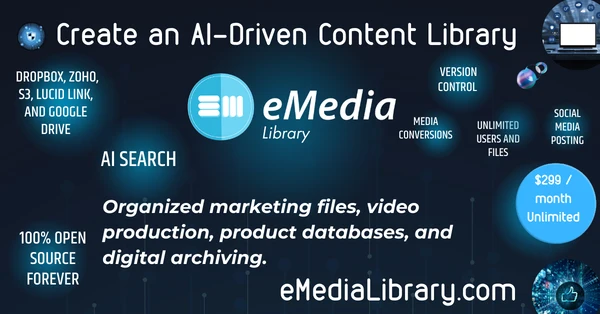
Index your files from Google Drive and Dropbox into one, self hosted, autonomous library and use AI to process and search! 

To get started, select from premade customizable library templates,  https://emedialibrary.com/library-templates  Or join Free community libraries https://emedialibrary.com/libraries

eMedia is compatible with EnterMedia 11 and also includes these features:

  • AI Library Assistant Agent: A new built-in (local) AI search agent designed to operate within your library data! See it: https://emedialibrary.com/knowledge/11/emedia-agent.html
  • Facial Recognition: New custom face tagging on images.
  • Smart Folders: Updated smart organizer UI
  • Comprehensive Version Control: Maintain a history of your file edits and text changes with full version control.
  • Cloud Sync: Free your files! Import, index, and organize all your business files from Dropbox, Zoho, S3, Lucid Link, and Google Drive, along with end-user desktop syncing.
  • Collaboration: Share production work folders, chat, and use queues and events to track progress. Benefit from automatic email notifications and order tracking.
  • Social Media Integration and Posting: Easily share or schedule your content across multiple platforms with Postiz, ensuring your digital legacy is shared with the world.
  • Automatic Website Integration: Brand your library and showcase your portfolio, art, products, and more on your own website front end with galleries.

Check out our new website here: https://emedialibrary.com/

We are making independent libraries more affordable for everyone. eMediaLibrary is only $299/month including hosting and a weekly set-up meeting. Let's create your digital legacy, reply to this email and schedule a discussion.  

-Christopher
cburkey@emedialibrary.com

eMediaLibrary Release (draft 2)

Hello Everyone,

EnterMedia and OpenInstitute are excited to announce the latest version of our open-source file archive and content organizer. 

Index your files from Google Drive and Dropbox into one, self hosted, autonomous library and use AI to process and search! 

To get started, select from premade customizable library templates,  https://emedialibrary.com/library-templates  Or join Free community libraries https://emedialibrary.com/libraries

eMedia is compatible with EnterMedia 11 and also includes these features:

  • AI Library Assistant Agent: A new built-in (local) AI search agent designed to operate within your library data! See it: https://emedialibrary.com/knowledge/11/emedia-agent.html
  • Facial Recognition: New custom face tagging on images.
  • Smart Folders: Updated smart organizer UI
  • Comprehensive Version Control: Maintain a history of your file edits and text changes with full version control.
  • Cloud Sync: Free your files! Import, index, and organize all your business files from Dropbox, Zoho, S3, Lucid Link, and Google Drive, along with end-user desktop syncing.
  • Collaboration: Share production work folders, chat, and use queues and events to track progress. Benefit from automatic email notifications and order tracking.
  • Social Media Integration and Posting: Easily share or schedule your content across multiple platforms with Postiz, ensuring your digital legacy is shared with the world.
  • Automatic Website Integration: Brand your library and showcase your portfolio, art, products, and more on your own website front end with galleries.

Check out our new website here: https://emedialibrary.com/

We are making independent libraries more affordable for everyone. eMediaLibrary is only $299/month including hosting and a weekly set-up meeting. Let's create your digital legacy, reply to this email and schedule a discussion with me.  

-Christopher
cburkey@emedialibrary.com

My first blog post

Lorem ipsum dolor sit amet, consectetur adipiscing elit. Morbi convallis lectus sed leo suscipit semper. Phasellus dapibus tempus enim, ut varius sapien faucibus eu. Duis vel arcu tempor, sollicitudin ante eget, pharetra nibh. Praesent consequat, urna nec dignissim vulputate, orci ex dictum nisl, vitae auctor elit turpis vel libero. Integer imperdiet sed eros eget accumsan. Nulla facilisi. Etiam porttitor eros nec velit finibus sagittis. Vestibulum sagittis nulla porta molestie maximus. In hac habitasse platea dictumst. Aliquam lorem erat, faucibus vel iaculis quis, ultricies id metus. Aliquam sit amet eros augue. Fusce interdum neque at iaculis vehicula.

Pellentesque scelerisque lobortis ligula id accumsan. Duis mollis hendrerit lacus et posuere. In et tempor tellus. Aenean bibendum lacus placerat erat varius, vitae commodo lorem accumsan. Aliquam faucibus urna non erat varius, a tincidunt quam blandit. Vivamus lacinia leo nec consequat pellentesque. Cras scelerisque fermentum augue iaculis rhoncus. Morbi eu ex at eros rutrum suscipit.

Nunc eget vehicula ipsum. Fusce cursus lacus eget porttitor sagittis. Etiam ultrices efficitur augue, eget rutrum urna tempor pretium. Duis tristique consequat elit id rutrum. Donec nec velit blandit, lobortis tortor vitae, laoreet metus. Morbi in accumsan sem. Donec quis magna sed diam egestas hendrerit. Sed non tincidunt nisi. Fusce gravida ac lectus ut maximus. Cras molestie hendrerit est, in laoreet diam sollicitudin vitae. Ut dolor odio, interdum at sem ut, mollis congue tellus. Morbi elementum congue ligula in egestas. Morbi non libero nisi.

Fusce sed tortor nec dolor volutpat malesuada in ut sapien. Quisque in magna viverra, pharetra justo ac, rutrum lectus. Fusce nec mauris varius, laoreet turpis non, ullamcorper sapien. Sed a quam bibendum, dignissim orci a, aliquam nulla. Quisque tristique metus odio, sed efficitur magna sodales ac. Etiam faucibus vulputate nunc porttitor ullamcorper. In sagittis orci vel turpis gravida, sed posuere magna ultrices. Fusce convallis orci vel ipsum semper venenatis. Phasellus vel hendrerit velit, consequat sodales nibh.